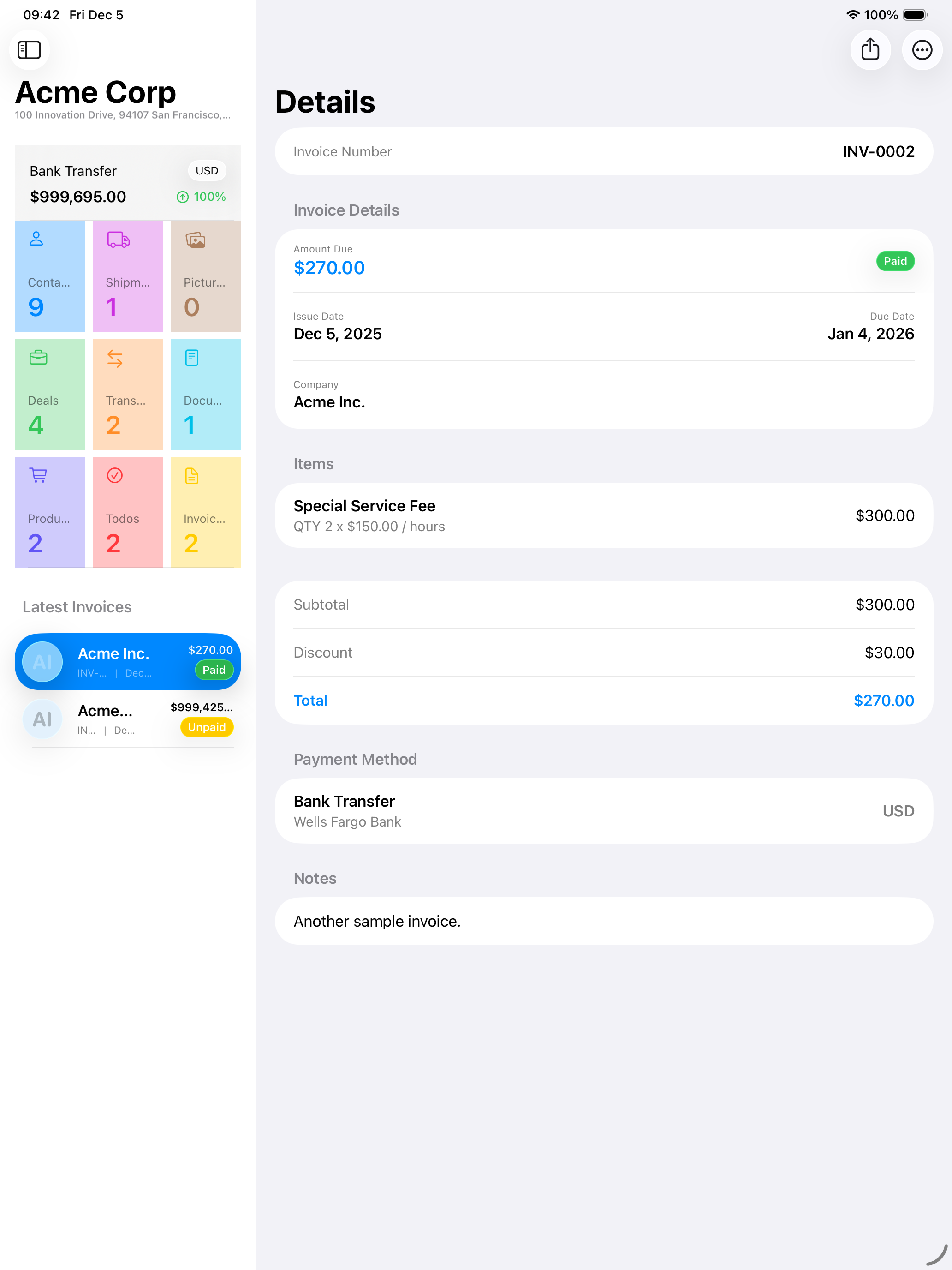
REARM unifies relationships, commercial documents, shipments, inventory, tasks, files, and operational insight in one focused workspace for iPhone, iPad, and Mac.
Built with SwiftUIiPhone · iPad · MacCloudKit continuity
One workspaceYour operation in context
One operational loop
From capture to continuity
01
Capture
Bring contacts, products, documents, images, and files into one system.
02
Connect
Link every commercial record to the people and organizations behind it.
03
Execute
Move deals, invoices, tasks, shipments, and inventory forward with clarity.
04
Synchronize
Continue across Apple devices with CloudKit-backed continuity and diagnostics.
20capability areas
3Apple form factors
1connected operating system
∞room to evolve
The REARM difference
Work stays connected to its real business context.
Instead of scattering the operation across isolated utilities, REARM makes each client, document, product, and shipment part of a continuous system.
01
Command center
See the business as one connected operation.
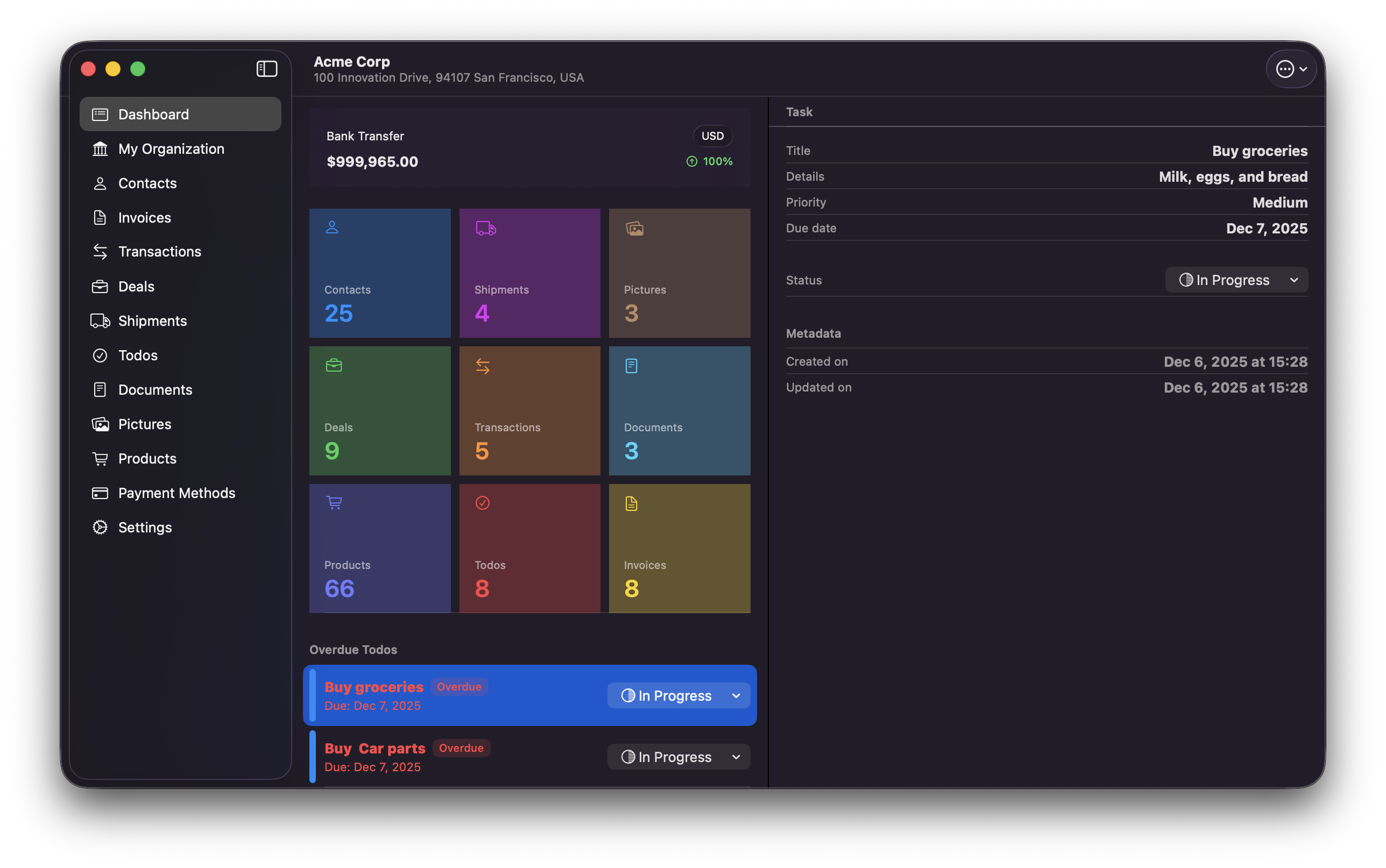
The dashboard brings your live workload, balances, record counts, and overdue priorities into one focused view.
Dashboard
Overdue tasks
Operational totals
02
Relationship workspace
Keep every client and supplier in context.
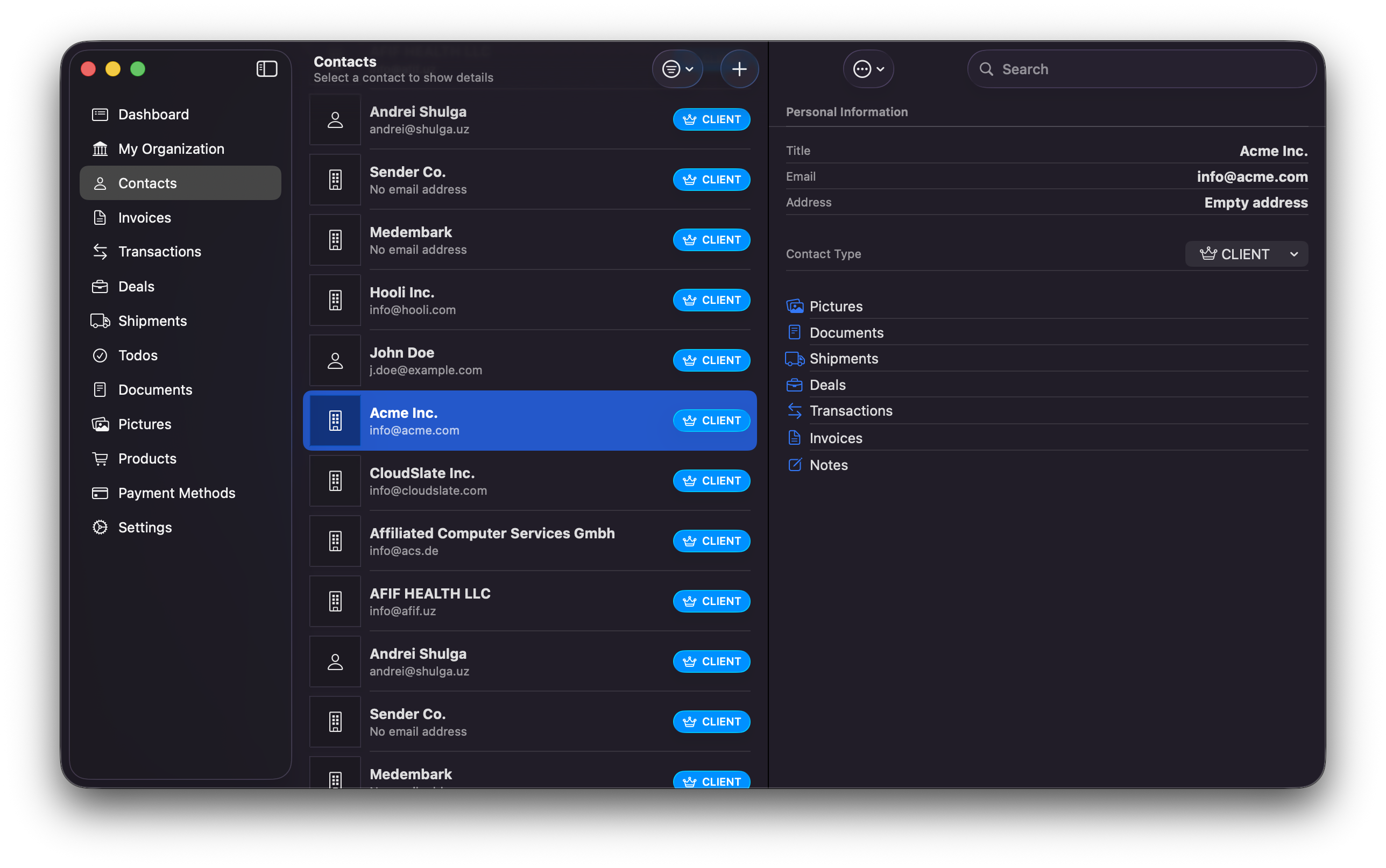
Companies and individuals stay connected to their invoices, shipments, deals, documents, pictures, and notes.
Contacts
Organizations
Linked records
03
Commercial documents
Create polished documents without leaving the workflow.
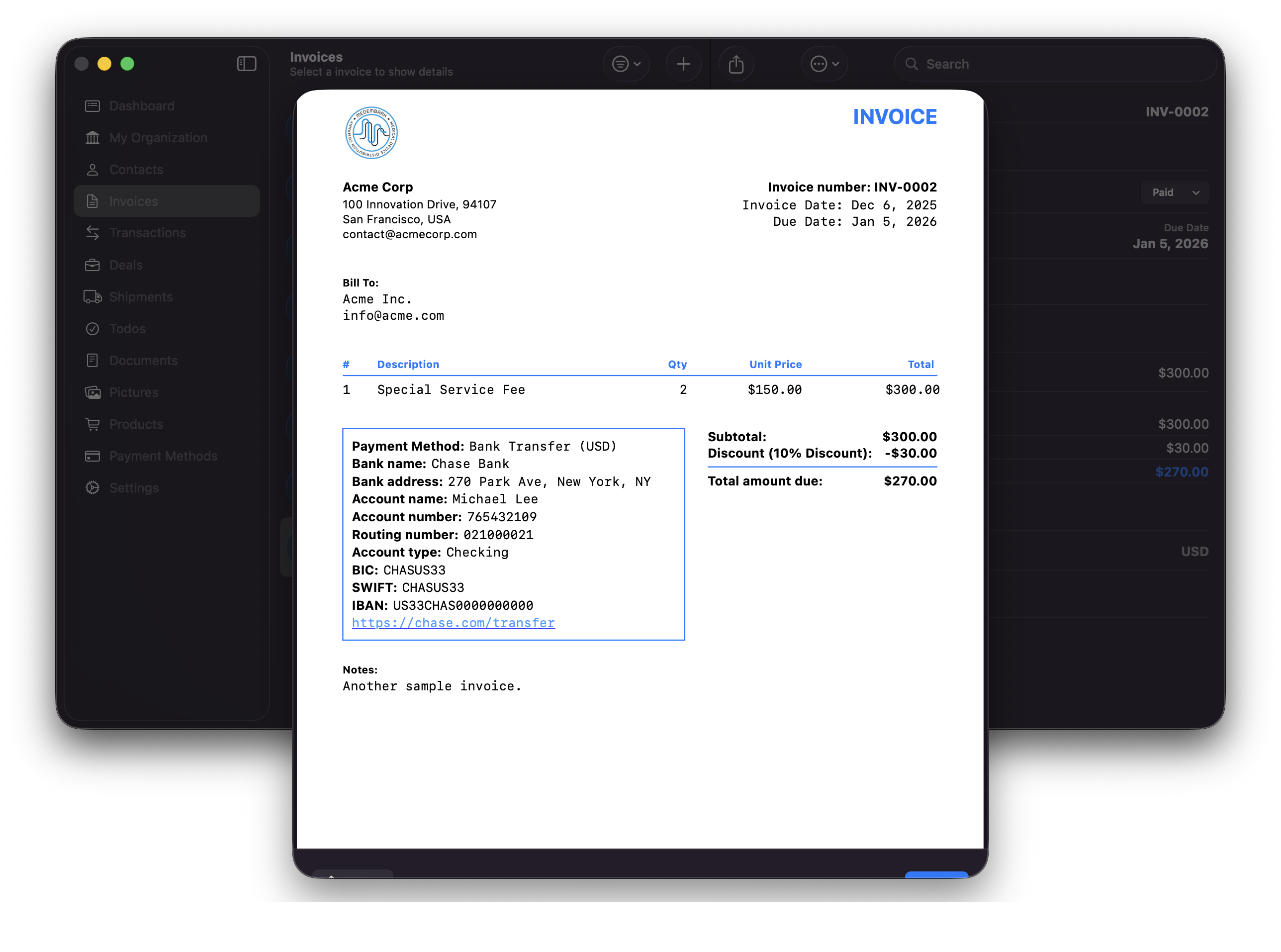
Build invoices with line items, discounts, taxes, payment details, and shipping fees—then preview, share, email, or export them.
Invoices
Purchase orders
PDF & CSV
Complete feature atlas
Every part of REARM, in one view.
The current app spans twenty capability areas across business operations, documents, movement, intelligence, and continuity.
01
Run the business
The essentials, fully connected
From the first conversation to the next action, REARM keeps the operational record together.
01
Dashboard
A live operational overview for the work that needs attention.
Module totals, balances, overdue todos, and fast navigation
02
Organization profile
Keep your company identity and commercial defaults ready everywhere.
Logo, address, tax details, contact data, and module settings
03
Contacts
Manage companies and individuals as clients, suppliers, and partners.
Linked invoices, shipments, deals, documents, pictures, and notes
04
Deals
Follow opportunities through a clear, practical sales progression.
New, talking, meeting, won, and lost stages
05
Todos
Turn operational follow-through into visible, accountable work.
Priority, due date, status, and overdue awareness
02
Sell and document
Commercial paperwork that stays useful
REARM turns business records into professional artifacts while keeping their source context intact.
06
Invoices
Draft, send, monitor, duplicate, and complete invoices from one workspace.
Line items, discounts, taxes, shipping fees, statuses, and due dates
07
PDF & CSV output
Preview and share commercial documents in formats partners can use.
Invoice PDFs, purchase orders, email composition, and CSV export
08
Payment methods
Reuse complete payment instructions across your commercial workflow.
Bank, account, routing, BIC, SWIFT, IBAN, and transfer-link details
09
Business documents
Organize files by purpose and keep them connected to their owners.
Contracts, reports, delivery forms, receipts, quotations, memos, and letters
10
Pictures and notes
Preserve visual evidence and working context beside the records they support.
Image library, captions, contact linking, previews, and share-ready notes
03
Move and monitor
A deeper shipment and inventory workflow
Plan movement, account for custody, and produce the operational documents and labels that keep goods moving.
11
Shipments
Track each movement from draft through delivery, delay, or cancellation.
Owner, sender, recipient, carrier, status, dates, and attached documents
12
Shipment flow
Understand planned, in-transit, and delivered quantities by custody stage.
Sender, transit, recipient, inventory ledger, and deviation summaries
13
Catalog and inventory
Manage products and reusable shipment items with accountable quantities.
Opening stock, transfers, returns, CSV import, scanning, and owner history
14
Packing & proforma documents
Generate shipment-ready paperwork directly from the live record.
Packing lists, proforma invoices, multi-page shipment flow, and PDF preview
15
Zebra label printing
Discover network printers and print product or shipment labels in batches.
Custom templates, QR codes, live preview, ZPL output, and connection testing
04
Find, think, and continue
Native intelligence around everyday work
Search across files, monitor external availability, collaborate visually, and keep devices in step.
16
Keyword file search
Search batches of business files without manually opening each one.
PDF, plain text, RTF, DOCX, XLSX, and legacy XLS extraction
17
Smart document capture
Extract text from documents and images to make incoming information usable.
PDF text, image recognition, structured generation, and on-device model support
18
Stock Watcher
Monitor product availability across multiple supplier pages.
Multi-source checks, automatic intervals, status history, and restock notifications
19
Collaborative mind maps
Build, arrange, share, and recover visual thinking on Mac.
Roles, CloudKit sharing, undo/redo, search, auto-layout, and PDF/PNG/JPEG export
20
Cloud continuity
Keep work moving across iPhone, iPad, and Mac with visibility into sync health.
CloudKit sync, activity log, device sessions, diagnostics, deep links, and file sharing
Across Apple
The right workspace for every screen.
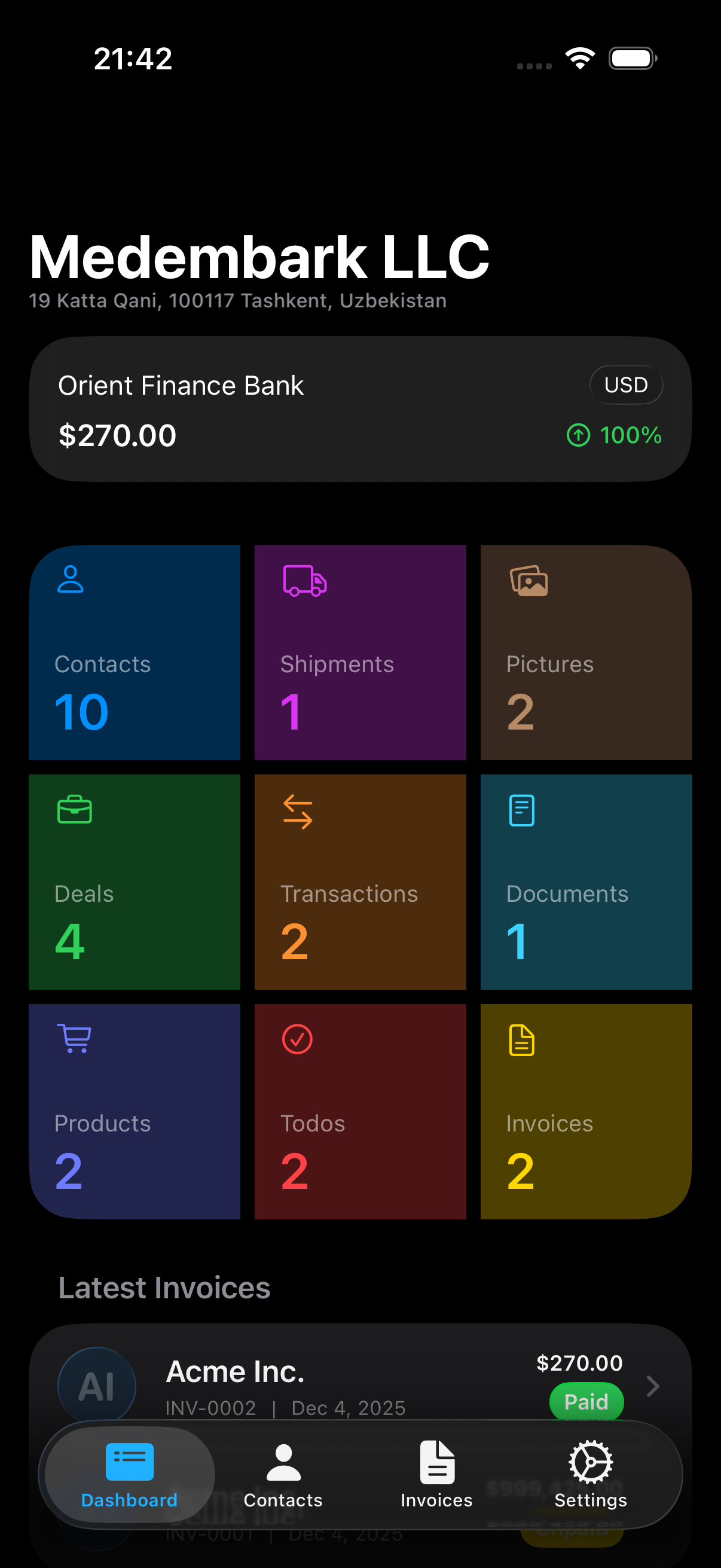
REARM adapts from a focused mobile workflow to a spacious three-column desktop command center while preserving familiar native interactions.
01
iPhone
Capture and act wherever the work happens.
02
iPad
A spacious operational view built for touch.
03
Mac
A three-column command center for focused work.
Designed to keep growing
When REARM evolves, this story evolves with it.
The feature atlas is structured as a living product record. New modules and improvements can be added cleanly without rebuilding the landing page’s visual system.
Current product snapshotREARM 1.1.6August 2026
01
App capability
A new workflow ships in REARM.
02
Feature registry
Its product story joins the right capability group.
03
Landing page
The complete feature atlas remains current and coherent.
REARM by MEDEMBARK
Bring the operation into one connected workspace.
Request access, discuss deployment, or learn how REARM can fit your team’s workflow.